New-build marketing is brand marketing. A buyer is choosing a development as much as a home, and the presentation has to feel as considered as the show home that sold them on it. Video carries that finish to every plot on the scheme — and solves the awkward problem that half of them aren't built yet to photograph.
Why video matters for new builds
A development is a set of homes that look, by design, almost identical. The same elevations, the same kitchen, the same turf in the back garden — that consistency is the point, and it's also the marketing problem. When every plot's gallery shows the same magnolia interior, buyers can't tell a two-bed mid-terrace from the one two doors down, and the listings cannibalise each other. Video that carries the show-home finish and the development's name gives each plot an identity while keeping the scheme coherent.
New-build buyers also buy on reassurance. They're often purchasing off a floorplan and a CGI, and what calms the nerves is everything around the unit — the energy-efficiency story, the warranty, the spec sheet, the landscaping that's going in, the management of the development itself. A walkthrough that takes in the show home, the streetscape and the plot's position lets a buyer picture the place as it will actually be, not as a line drawing.
And the builder's brand matters more here than anywhere. People research the developer before they reserve, and a consistent run of branded video across plots, phases and social builds recognition for the scheme — which is what drives reservations on the next release, not just the current one.
What to capture on a plot
Show-home finish
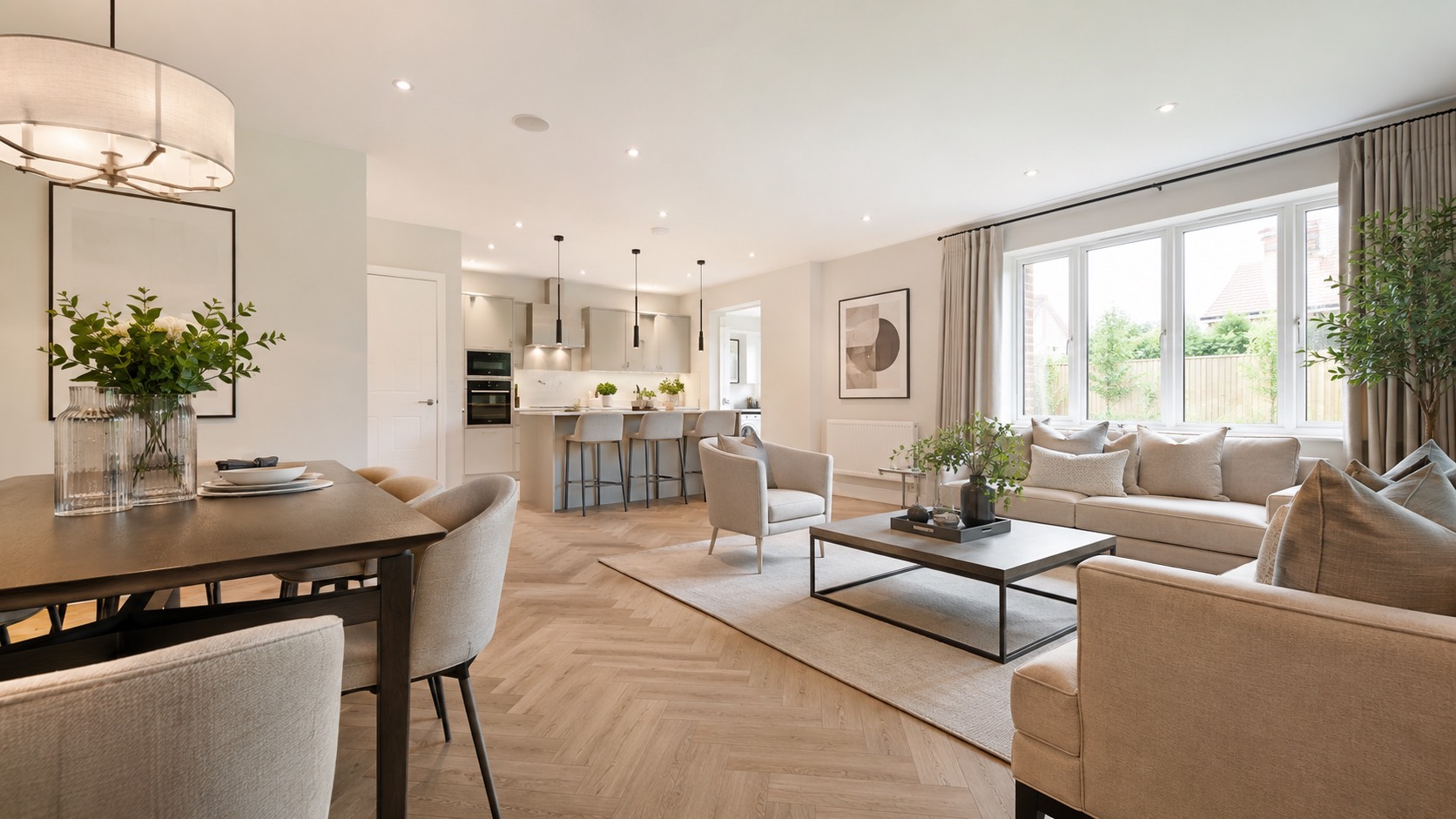
The dressed show home is your best asset. Lead with it to set the standard, then let the buyer map that finish onto the plot they're actually reserving.
The development context
Where the plot sits, the streetscape, the landscaping and shared green space. New-build buyers are choosing the scheme as much as the house — show them the neighbourhood it creates.
Energy & spec
The EPC rating, the heating system, the insulation and fittings are a real reason to buy new. A few seconds on the spec answers the running-cost question buyers always ask.
CGIs & floorplan
For off-plan units, the CGIs and floorplan are all there is. Weaving them into the walkthrough lets a plot that doesn't exist yet still be marketed at launch.
Developer brand
Logo, development name, palette and music applied consistently. The same identity across every plot builds recognition for the scheme, not just the listing in front of you.
The wider location
Schools, the station, the retail and amenity that the development connects to. Ending on the area sells the lifestyle a phased site is still building towards.
See it on a plot or your CGIs
Send us a plot listing, a show home or your off-plan CGIs and we'll build a branded walkthrough that carries the development's look — free, no obligation.
The right format & length
A development needs video at volume, so the edit has to be repeatable. Open on the show-home finish to set the standard, move through the key rooms, take in the plot's position and the wider scheme, and close on the location and the developer's brand. Run the same template across every plot — including the off-plan ones built from CGIs — so the whole release looks deliberate. One render should give you a 16:9 master for the portal and the sales suite screens, a 9:16 cut for Reels and Stories, and a 1:1 version for the feed.
How Listingly makes it
Paste the plot or load CGIs
Drop in the plot's listing URL, or load the CGIs and show-home photos directly — useful for the off-plan units that aren't built yet.
Apply the development Brand Kit
Save the scheme's name, logo, colours and music once, then apply it to every plot so the whole site's marketing stays consistent.
Get every format
One render gives you a 16:9 master plus 9:16 and 1:1 cuts — handy when a development has dozens of similar plots to market.
What's video worth across a scheme?
A development is high-volume by nature — video that shifts plots faster and reduces drift on the later phases compounds quickly. See the numbers for your release.
Common questions
Can I make a video for an off-plan unit that isn't built yet?
Yes. If you have CGIs, the show home, or photos of a completed plot of the same house type, Listingly builds a branded walkthrough from those — so every plot on the development can have video, not just the ones that are finished.
Can the video carry the development's branding?
Yes. Your Brand Kit can hold the development name, logo, colours and music, so every plot's video is consistent with the scheme's identity rather than looking like a generic listing.
Do I need a videographer on site?
No. Listingly works from the photos and CGIs you already have, and exports 16:9, 9:16 and 1:1 from one render — useful when a development has dozens of similar plots to market.
How do I stop identical plots looking the same in their videos?
The consistency is deliberate, so the differentiation comes from the detail: the plot number and position, the specific aspect and orientation, any upgraded finish or larger garden, and the individual floorplan. The same branded template can lead with what's distinct about each unit while keeping the scheme coherent.
Can I reuse the show-home video across several plots?
Where plots share a house type, the show-home footage is genuinely representative, so it's fair to build on it for that type. We'd pair it with each plot's own floorplan, position and any spec differences so the video stays honest to the unit a buyer is actually reserving.
Get a free video
Send us a plot or its CGIs and we'll make a branded walkthrough, free.
Get a free video