HMO and student stock plays by different rules to the rest of the market. The tenant often signs for a room from another city without ever viewing it; the buyer is usually an investor weighing yield, not a family picturing a home; and the whole thing turns over on a tight cycle that punishes anything slow. Video earns its place on all three counts — it lets a sharer choose a room remotely, it presents the property as an asset, and it is quick enough to redo at every changeover.
Why video matters for HMOs & student lets
Sharers and students are the segment most likely to commit to a tenancy they have never stood inside. They are moving from another city, racing an academic-year deadline, and choosing off a listing alone. That makes the photos do more work here than almost anywhere else — and it makes their gaps more costly. A static gallery shows a bedroom and a kitchen as separate, disconnected frames; it can't show how the rooms relate, where the bathroom sits relative to the bedrooms, or what the shared kitchen is actually like to live in. A room-by-room walkthrough closes that gap, and every dispute or no-show it prevents is a void it saves you.
The second audience is the investor. When an HMO is being sold, the listing is not really about the home — it is a pitch about return. How many lettable rooms? What condition, what finish, how tenant-ready? A branded video that moves room by room reads the property the way a landlord evaluates it: as a number of income-generating units with a clear sense of upkeep, not a place to raise a family. Framing it that way speaks the buyer's language.
And this is high-velocity stock. Rooms come back to market on a predictable, relentless calendar, and the agencies that win are the ones that re-list fast and clean. Because the video rebuilds from existing photos and a saved Brand Kit, refreshing a room each turnover is a paste-and-go job rather than a reason to skip video on a lower-rent room.
What to capture in an HMO
Every lettable room
The whole pitch is room count. Give each bedroom its own clear pass so a remote tenant sees exactly the room they're signing for — and an investor counts the income units at a glance.
The shared kitchen
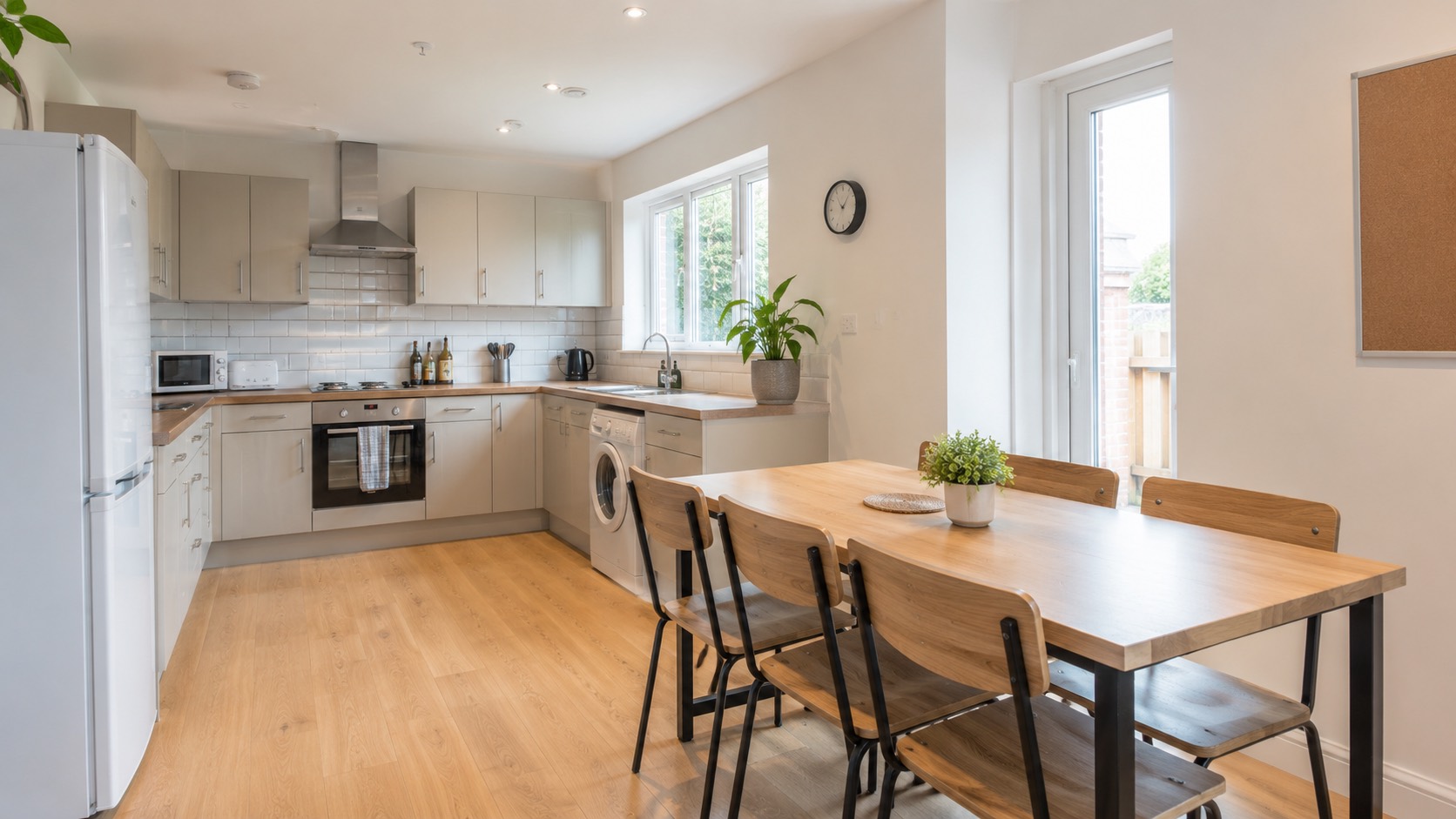
The communal kitchen makes or breaks a sharer's decision. Show the appliances, worktop and seating so tenants know what they're sharing and how many it realistically suits.
Bathrooms & ratio
How many bathrooms, and for how many rooms, is a real question for sharers. Showing each one sets the right expectation and heads off the complaints that come from a surprise on move-in.
Distance to campus
Walk-to-lectures, the bus route, the nearest supermarket. Ending on the location turns a room into a place to live a term — the thing students weigh first after price.
Condition & compliance feel
Fire doors, smoke alarms, sound flooring and a clean finish read as a well-run let. You don't claim certification on screen — but a tidy, maintained property signals letting-readiness.
Communal living space
A shared lounge or diner is a genuine draw for sharers choosing between houses. Give it a few seconds so the property reads as a home to share, not just a corridor of locked doors.
Walk a sharer through the rooms
Send us an HMO or student-let listing and we'll turn your photos into a clear, branded room-by-room walkthrough for tenants renting sight-unseen — free, no obligation.
The right format & length
HMO video has a different job to a sales walkthrough: it's reference, not romance. The tenant will rewatch it to check the room they're about to commit to, so clarity beats cinematics — a steady pass through each bedroom, the shared kitchen and bathrooms, then close on the route to campus. Because tenants are almost always on a phone, the vertical cut does the heavy lifting here. One render still gives you everything: a 9:16 master for portals and social, a 16:9 version for your site and any investor-facing listing, and a 1:1 for the feed.
How Listingly makes it
Paste your listing
Drop in the room or property listing URL. Listingly pulls in the photos and details you've already uploaded — no filming, no shoot day.
Pick your brand
Choose your Brand Kit — logo, colours, fonts and music — so every room video looks like your agency across the whole portfolio.
Get every format
One render gives you a 9:16 master plus 16:9 and 1:1 cuts, ready for portals, your site and social — quick enough to redo each turnover.
What's video worth on an HMO?
Every void day on a room is rent you don't get back, and this stock turns over constantly. A faster let across a whole portfolio adds up — see the numbers for yours.
Common questions
Why does video work for HMO and student lets?
Sharers and students choose a room remotely, often without viewing in person — particularly when they're moving from another city. A room-by-room walkthrough lets them see exactly what they're renting, the shared kitchen and bathrooms included, which cuts wasted viewings and no-shows.
Can the video help market the investment to landlords?
Yes. For a landlord-focused listing, a branded video presents the property as a yielding asset — number of rooms, condition and finish — which suits how investor buyers assess an HMO.
Is it fast enough for high turnover?
Yes. Student and sharer stock turns over on a tight cycle. Because Listingly builds the video automatically from existing photos and a saved Brand Kit, you can refresh a room video quickly every time it comes back to market.
Can I make one video per room rather than per property?
Yes. Many landlords list rooms individually, so you can build a focused clip for a single room — its own bedroom plus the shared kitchen and bathrooms — and re-render just that room when it comes back to market, without redoing the whole property.
Does the video prove the property is compliant?
No, and it shouldn't claim to. A walkthrough shows the condition and finish your photos capture — a clean, well-kept property reads as a well-run let — but licensing, fire safety and HMO certification are matters for your documentation, not something a video can certify.
Get a free video
Send us an HMO or student-let listing and we'll make a branded walkthrough, free.
Get a free video